Attendees
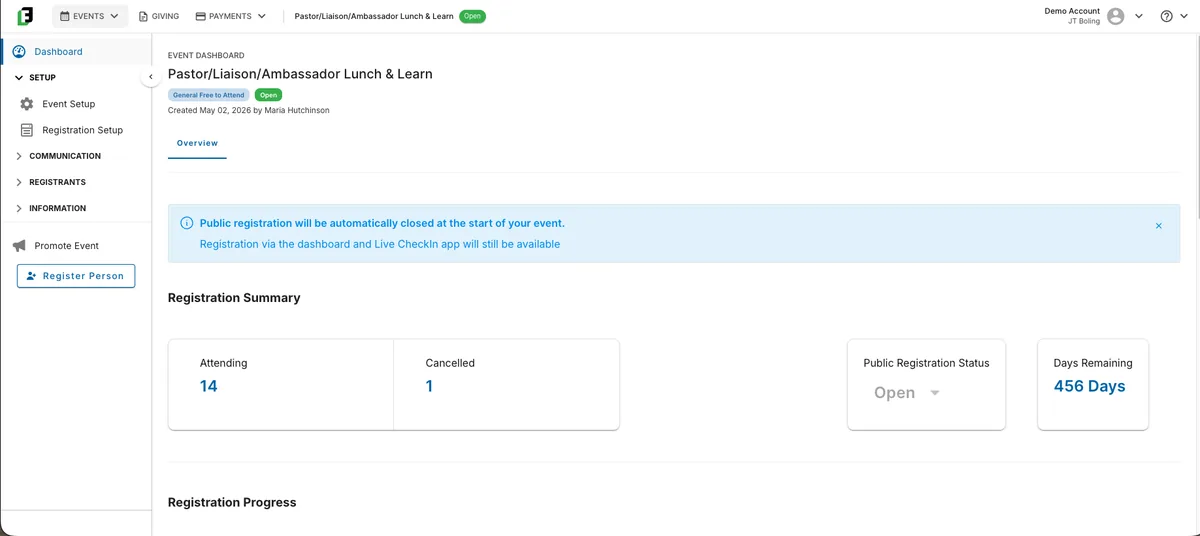
Every person registered for your event, one row per person, with registration type, group, party, tags, and a gold Host badge on hosts.
Run every kind of event, from banquets and vision dinners to walks and golf outings. You control the registration form, sponsors can sign themselves up, and your event staff run live check-in on iPads and iPhones.
FundEasy runs fundraising events end to end, from banquets and vision dinners to walks and golf outings. A setup wizard covers dates, venue with a public map, an attendance goal, and an event capacity. Once registrations reach the capacity, registration closes on its own, and you can raise it any time to open more spots.
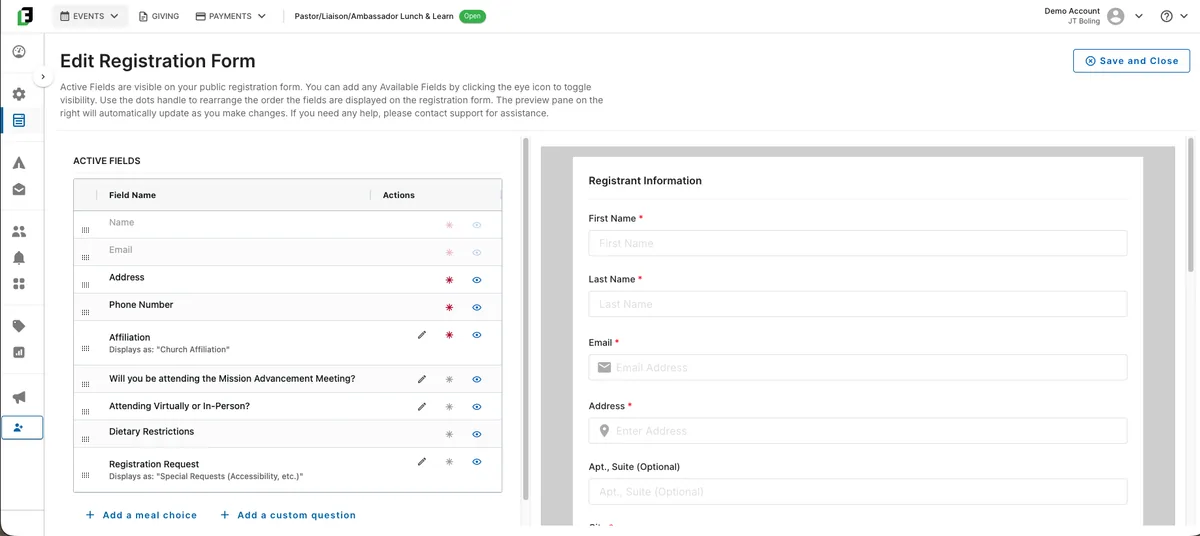
You control the registration form, including required fields, meal choices with optional quantity caps, and custom questions. Registration can be free or paid, with early bird and late pricing that switches on schedule, promo codes, bundles for tables, and a Bill Me Later option for people paying offline.
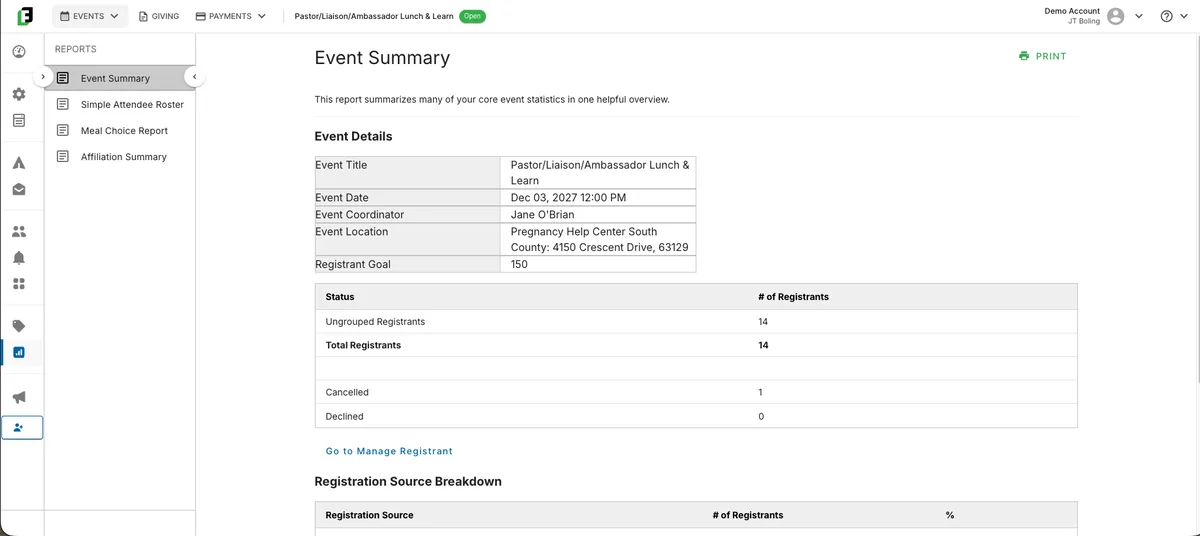
Sponsors complete their own form for your approval and appear on the public page with their tier. Attendees, Groups & Hosts, and Seating share one guest list, so a change on one screen updates the other two. Your event staff run live check-in at the door on iPads and iPhones, and six built-in reports cover attendance, meals, hosts, and sponsors. Duplicate the event to run it again next year.
Attendees, Groups & Hosts, and Seating work from one shared guest list. Move someone, make them a host, or place them at a table on one screen, and the other two update.
Every person registered for your event, one row per person, with registration type, group, party, tags, and a gold Host badge on hosts.
Groups are a flexible way to organize your attendees, often a host and the guests they bring. See them in Board or List view. On events that are not built from the Vision Dinner template, this screen is called Groups.
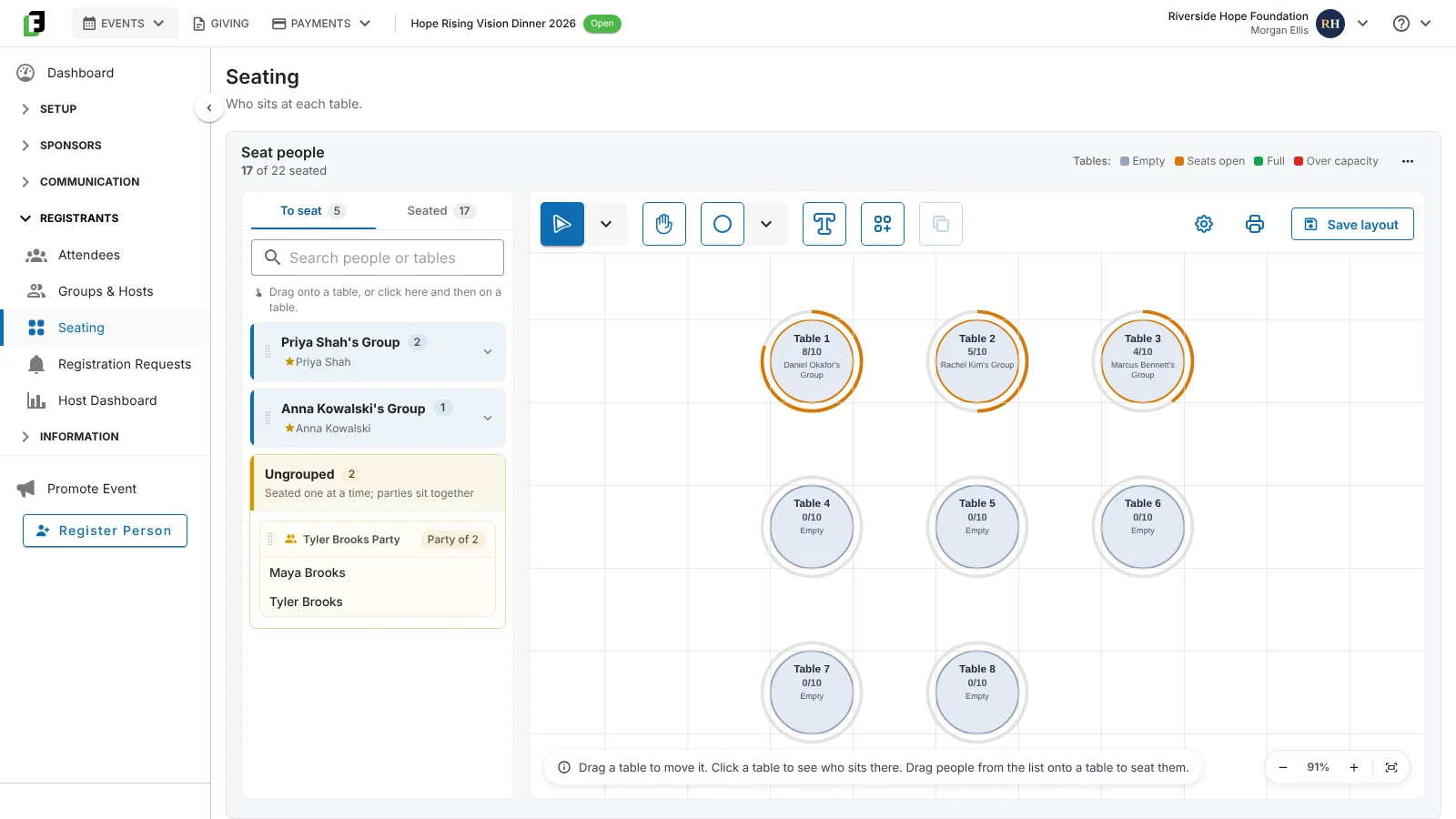
Choose a table shape, the number of tables, and seats per table, then place a group or guest at a table.
The Attendees capacity bar has three parts: named attendees, names needed, and available capacity. Names needed are people who have a spot but no name yet, such as a bundle where not every guest is named.
Click a name to open the attendee detail panel: registration requests, details, party, group, table, and order. On a bundle, the order shows named guests and remaining spots.
Set dates, venue, attendance goal, event capacity, banner, and brand color. Registration closes on its own when the event is full, and you write the message people see when it's closed. The wizard also shows you a preview of every email the event will send.
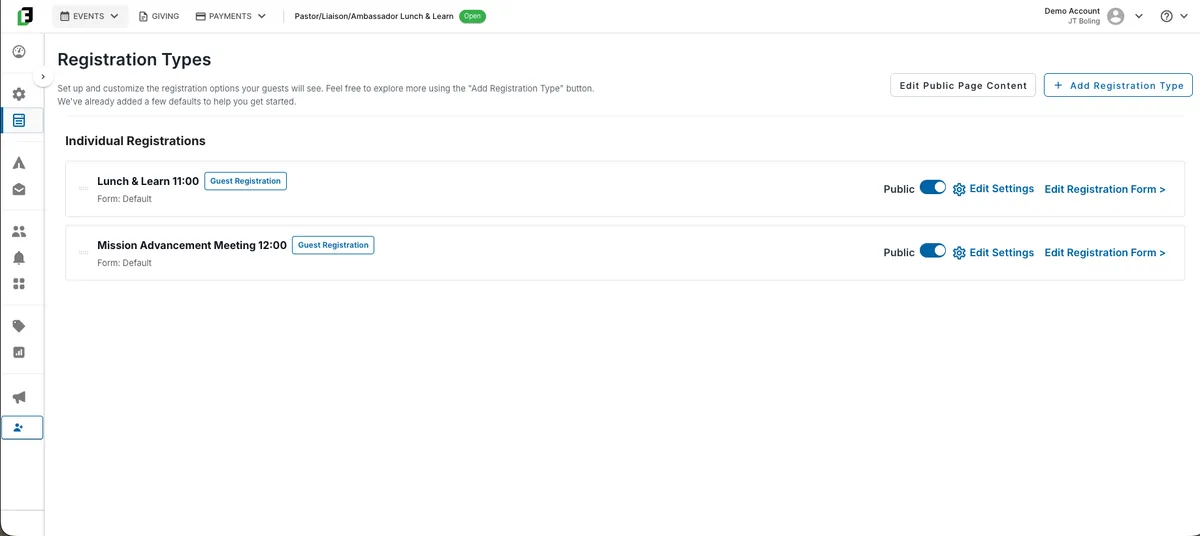
Set up registration types, then use the form builder to require, hide, and reorder fields, add meal choices with quantity caps, and add custom questions in seven formats.
Free or paid, early bird and late tiers scheduled to switch on their own, promo codes, bundles for tables, and Bill Me Later for people paying offline. Send sponsor forms and invite your list.
On Seating, choose a table shape, the number of tables, and seats per table. You can edit those later. Drag a group or guest onto a table, or click a guest and then a table. Drag tables to match the room, save the layout, and print it. Groups are placed as a whole, everyone in a party is placed at the same table, and cancelled and declined guests are not placed at a table. Table colors show Empty, Seats open, Full, and Over capacity, so you can see a table you've seated past its seat count. Name tags print by table or by last name.
Live check-in on iPhones and iPads at the door, then the reports and the payments reconciliation once it is over.
Tell us about the event you are running next, and we’ll walk you through FundEasy with it in mind. Book a demo.
Answered the way we answer them on a demo call.
Yes. Set an event capacity in the setup wizard, and registration closes on its own once that many people have registered. If you add seats or move to a bigger room, raise the capacity and registration opens back up. You can also set a date and time for registration to close. Your attendance goal is separate: it tracks progress on your dashboard and never closes registration.
Registration closes automatically, and visitors to your event page see your closed-registration message, which you can edit. If you can make room, raise the event capacity to let more people register. Before you do, check your seating chart so the new guests have somewhere to sit.
FundEasy doesn't have a built-in waitlist today, but you can set one up in a few minutes. Add a registration type called “Waitlist,” then use the Public toggle to hide your other registration types, so anyone who signs up from then on joins the waitlist. When a spot opens, email your waitlist from the event. You can also tag any registrant “Waitlist” and group your registrant list by that tag.
Event capacity limits how many people can register for the whole event. Table capacity is the number of seats at each table on your seating chart. You can seat more guests at a table than it holds when you need to, and that table shows as Over capacity. The Attendees capacity bar shows named attendees, names needed, and available capacity, so open spots are visible even when a table bundle hasn't named every guest.
Run every kind of event, from banquets and vision dinners to walks and golf outings.